Kubernetes
Kubernetes is a powerful container orchestration platform that automates the deployment, scaling, and management of containerized applications.
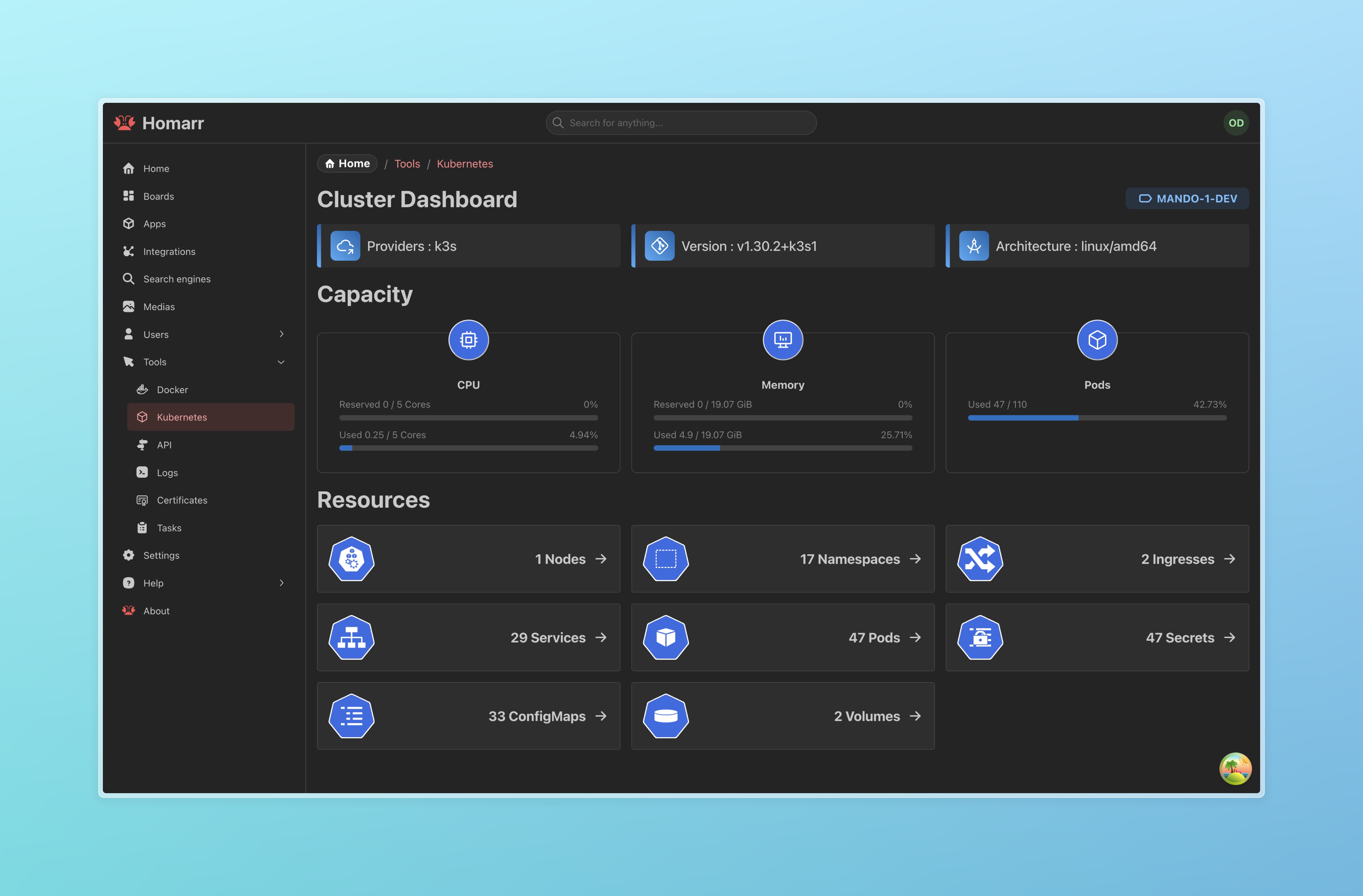
Muninn provides a user-friendly Kubernetes dashboard that offers an overview of your cluster’s resources in a clear and structured interface. It allows users to view key Kubernetes objects, including Pods, Services, Ingresses, Nodes, ConfigMaps, Secrets, Namespaces, and Volumes, as well as basic metrics when the Kubernetes Metrics Server is enabled.
This integration is read-only, meaning Muninn does not modify or manage cluster resources but serves as an informational tool to enhance visibility into your Kubernetes environment.
Prerequisites
Before deploying Muninn in Kubernetes, ensure the following prerequisites are met:
- Kubernetes (Version >= 1.24.0)
- Metrics Server (Install from here)
- RBAC Enabled (Required for Muninn Helm chart)
Configuring RBAC in Helm Chart
To enable RBAC for Muninn, configure the Helm chart values file as follows:
rbac:
  enabled: true
Enabling RBAC in the Helm chart creates the necessary Kubernetes Role-Based Access Control (RBAC) resources to allow Muninn to view various Kubernetes objects. These include:
- Service Account: A dedicated service account for Muninn.
- Role & RoleBinding: Grants permissions within a specific namespace to list, watch, and get pods, services, secrets, configmaps, and more.
- ClusterRole & ClusterRoleBinding: Extends the same permissions cluster-wide for additional flexibility.
Muninn Dashboard Overview
Once deployed, Muninn provides a dashboard displaying Kubernetes metrics and resource information. The main page includes:
- Pods: Lists running and pending pods.
- Services: Shows available services and their configurations.
- Ingresses: Displays ingress rules and associated routes.
- Nodes: Provides an overview of cluster nodes and their status.
- ConfigMaps & Secrets: Lists configuration data and secrets used within the cluster.
- Namespaces: Displays all available namespaces in the cluster.
- Volumes: Shows persistent and ephemeral storage resources.